

Live
Live sports
Sports channels for football, soccer, basketball, baseball, hockey, fight nights and more. Line-ups change with the season.
The Strong IPTV buyer’s guide
UpdatedStrong IPTV is a streaming TV subscription that brings national and international channels, movies, series and sports to your smart TV, Fire TV Stick, Android box, Apple TV, phone or computer — over the internet connection you already pay for. No dish, no cable box rental, no installer visit. Plans start at $17, and our support team helps you get set up on WhatsApp or by email.
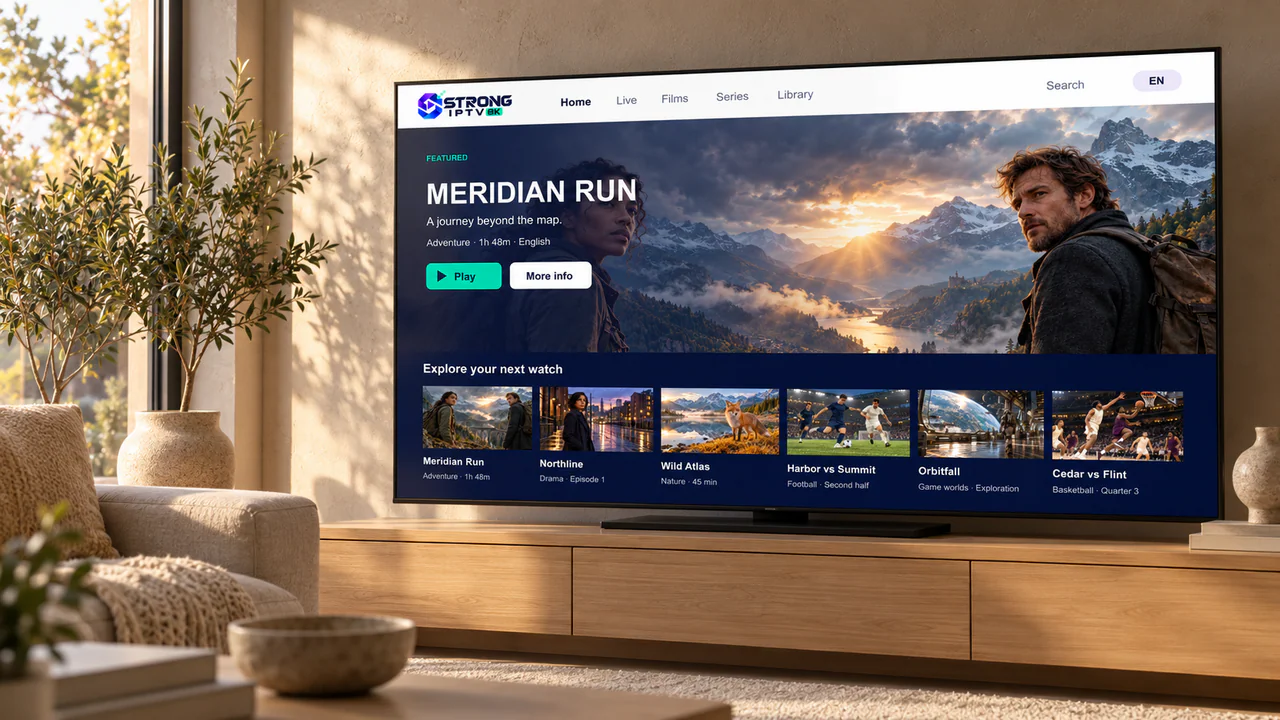
Works with smart TVs, Fire TV, Android TV, Apple TV, phones and computers
01The quick check
Most people can tell in under a minute. If the left-hand list sounds like your home, you’ll get on well with Strong IPTV. If the right-hand list rings truer, we’d rather tell you now than after you’ve paid.
Check your data cap
Many US internet plans include a monthly data allowance. As a rough guide, HD streaming uses about 3 GB an hour and 4K about 7 GB an hour — four hours of HD a night adds up to roughly 360 GB a month.
Still unsure? A trial on your own TV answers it faster than any guide.
Request a free trial02What’s on
Strong IPTV puts live TV and an on-demand library in one app. Here’s how the catalog is organized. We don’t display network logos or promise individual titles, because line-ups change — ask about a specific channel before you buy and you’ll get a straight answer.
Live
Sports channels for football, soccer, basketball, baseball, hockey, fight nights and more. Line-ups change with the season.

On demand
Action, drama, comedy and family movies you can start whenever you like.

Live
Channels in many languages for households that watch in more than one. Ask about yours.

On demand
Whole seasons of drama, sci-fi, crime and comedy, ready when you are.

Live & on demand
Wildlife, science, history and travel for curious minds of every age.
Artwork shown is original and created for illustration — it doesn’t represent specific programs on the service.
03Compatibility
Almost certainly, if your device can install an IPTV player app. Pick yours to see what you’ll need and how long setup usually takes.








Brand names and logos belong to their owners and appear only to show compatibility. Strong IPTV isn’t affiliated with or endorsed by these companies.
04Pricing
Every plan includes the same channels, movies, series and sports. The only difference is how long it lasts — longer plans cost less per month. Prices are in US dollars and shown in full.
| Plan | You pay | Per month | Vs. monthly | Order |
|---|---|---|---|---|
|
1 month
Try the full service for a month
|
$17 | $17.00 | Monthly price | Order 1 month on WhatsApp (opens in a new tab) |
|
3 months
A season of viewing
|
$33 | $11.00 | Save $18 (35%) | Order 3 months on WhatsApp (opens in a new tab) |
|
6 months
Half a year, one payment
|
$44 | $7.33 | Save $58 (57%) | Order 6 months on WhatsApp (opens in a new tab) |
|
12 months Lowest monthly cost
The whole year covered
|
$65 | $5.42 | Save $139 (68%) | Order 12 months on WhatsApp (opens in a new tab) |


05Getting started
Here’s exactly what happens between choosing a plan and watching your first program — no hidden steps.
Pick 1, 3, 6 or 12 months. Every plan includes the full service.
Tell us your plan and the device you’ll watch on — on WhatsApp or by email.
We confirm the total and send your payment options. Nothing is charged before you agree.
Your login details arrive by WhatsApp or email, with setup steps for your device.
Install the recommended player app, sign in and start watching. Stuck? Send a photo of your screen and we’ll guide you.
06Support
Questions before you buy, help during setup and fixes later on — it all goes to the same support team, on WhatsApp or by email.
New to WhatsApp?
It’s a free messaging app. Our number is international (+212), but WhatsApp messages travel over Wi-Fi or data, so there are no international texting charges. Prefer not to use it? Email works just as well.

Several unrelated services use similar names, such as “Strong 8K” or “Strong 4K”. We only sell and support through the channels listed here — and we’ll never ask for your online banking login, card PIN or one-time security codes.
07Speed & quality
Picture quality depends on three things: the channel’s source, your device and your connection. Here’s how to get the best from all three.
| Picture | Steady speed per stream | Data per hour | Best for |
|---|---|---|---|
| SD (480p) | 3–5 Mbps | About 1 GB | Phones and mobile data |
| HD (720p–1080p) | 10–15 Mbps | About 3 GB | Most TVs and live sports |
| 4K UHD (where available) | 25 Mbps or more | About 7 GB | 4K TVs on a fast, wired connection |

About the 8K in our logo
The 8K badge is part of the Strong IPTV logo, not a promise that every channel streams in 8K — very little is broadcast in 8K today. Most live channels are HD, with some 4K. Your TV, device and connection decide what you actually see.
08Compared
Cable and satellite still suit some homes. Here’s a fair side-by-side so you can decide for yourself.
| What matters | Strong IPTV | Typical cable or satellite |
|---|---|---|
| Commitment | Prepaid for 1, 3, 6 or 12 months | Often a 1–2 year agreement, or promo pricing that rises after the first year |
| Equipment | Use the TV, stick, phone or computer you already own | Receiver or DVR boxes, often with monthly rental fees |
| Installation | Self-install with step-by-step help, usually under 15 minutes | An installer appointment for many setups |
| Extra fees | The plan price is what you pay for the plan | Broadcast TV and regional sports fees are common |
| Where you can watch | TV, phone, tablet and computer | Mostly the TV; app access depends on the package |
| Works without home internet | No — it needs a steady connection | Satellite does |
| Channel line-up | Changes over time — ask before you buy | Fixed packages listed in writing |
| Support | WhatsApp and email, with screenshots | Phone support and technician visits |
With reliable internet, Strong IPTV is usually the simpler and cheaper way to watch. If your connection is patchy, cable or satellite may still be the better fit — and we’ll tell you so.
09Questions
The twelve questions people ask us most before they subscribe.
Didn’t find your answer?
Ask us directly — you’ll get a straight answer before you spend anything.
Strong IPTV is a streaming TV subscription. Instead of a cable box or satellite dish, live channels, movies, series and sports reach your TV through your internet connection and a player app on a device you already own — a smart TV, Fire TV Stick, Android TV box, Apple TV, phone or computer. You choose a plan, we send your login details, and our support team helps you get set up.
There are four plans: 1 month for $17, 3 months for $33, 6 months for $44 and 12 months for $65. Every plan includes the same service — longer plans simply cost less per month, down to about $5.42 a month on the 12-month plan. See the full price list for details.
Yes. You can request a free trial on WhatsApp or by email and test the service on your own TV and internet connection before choosing a plan. The free trial page explains how to get the most out of it.
Most modern streaming devices: Amazon Fire TV Stick, Samsung and LG smart TVs, Android TV and Google TV, Apple TV, iPhone and iPad, Android phones and tablets, and Windows or Mac computers. You install a player app, then sign in with the details we send. The compatible devices guide covers each one.
Only in a limited way. Roku doesn’t offer dependable IPTV player apps, so we don’t recommend it as your main device. The simplest fix is an inexpensive Fire TV Stick or Google TV device plugged into the same TV. Screen mirroring from a phone can work as a stopgap on supported Roku models.
For one stream, aim for a steady 10–15 Mbps for HD and 25 Mbps or more for 4K where it’s available. Add more if other people at home stream or game at the same time. A wired Ethernet connection to your TV or streaming device makes the biggest difference to stability.
You can install your player app on several devices. How many can stream at the same time depends on your plan’s connection allowance — tell us how many screens you want to use at once and we’ll confirm the options before you pay.
Yes. Sports channels and live events are part of every plan, alongside movies, series and live TV. Coverage changes from season to season, so if you’re subscribing for one particular sport or event, ask us about it first and we’ll give you a straight answer.
No. Each plan is a one-time payment for a fixed period. When it ends, you decide whether to renew — nothing is charged automatically and there is no recurring payment to cancel.
Tell us first — most problems are fixed in a few messages, usually by changing the player app or a network setting. If we can’t get the service working properly on your device, our refund policy explains when you’re entitled to your money back and how to ask.
No. Several unrelated services use names like “Strong 8K” or “Strong 4K”. The Strong IPTV on this website sells only through strongiptvv.com, WhatsApp at +212 781 768 546 and [email protected]. If anyone contacts you from somewhere else claiming to be us, check with us before paying.
IPTV simply means delivering TV over an internet connection, and it’s a mainstream technology used by major TV providers. Like any service, it should be used in line with the laws where you live. If you have a question about a particular channel or how the service works where you are, ask us before you subscribe.
From the help desk
Setup walk-throughs, buying advice and fixes from the Strong IPTV help desk.
Uncategorized
Welcome to WordPress. This is your first post. Edit or delete it, then start writing!
Setup
Device-by-device steps, from Fire TV Stick to Apple TV, with the fixes for the usual sticking points.
Troubleshooting
Ethernet, Wi-Fi bands and router placement — the five-minute checks that solve most playback problems.

Ready when you are
Pick a plan, send us a message, and we’ll help you get set up on the device you already own.